
Members and voters
Member and voter guide
Update your record, get your card, check the voter list and vote online, step by step.
Key points
- 1Update your member record with your photo (code by WhatsApp or e-mail).
- 2Get your 2027-2029 card before 13 November 2026: 100 FCFA (existing members) or 250 FCFA with the card included (new members).
- 3Check your name on the provisional voter list from 16 to 20 November.
- 4Do the trial vote between 21 November and 2 December.
- 5Vote online on Saturday 12 December, from 8 am to 8 pm, and keep your receipt.
- 6Take part without travelling in votes and consultations (first the priority vote "Élections 2026", then the statute articles by category): My space → Votes and consultations.
1The platform in brief
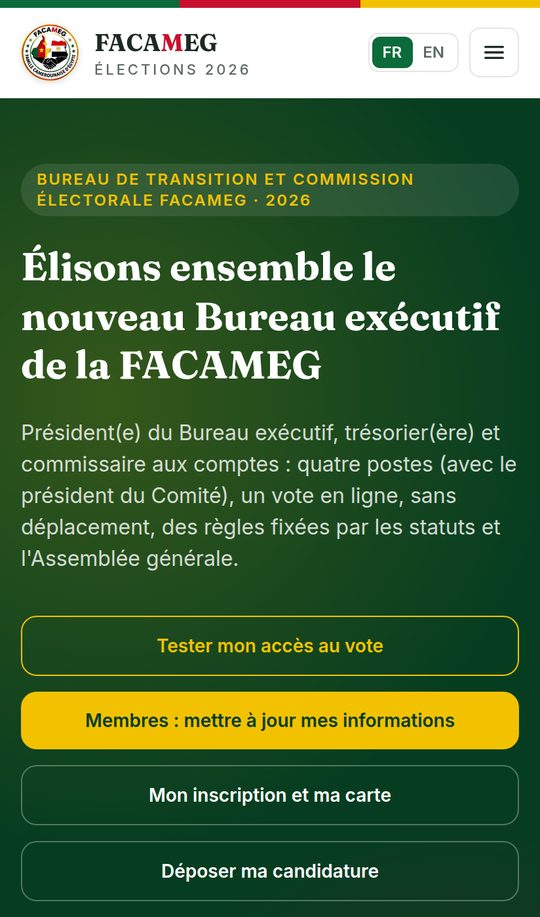
One official website for every step: test-ccn.allcommunity.online. It works on phone, tablet and computer, in French and English (FR / EN buttons).
- Member update: register or complete your record.
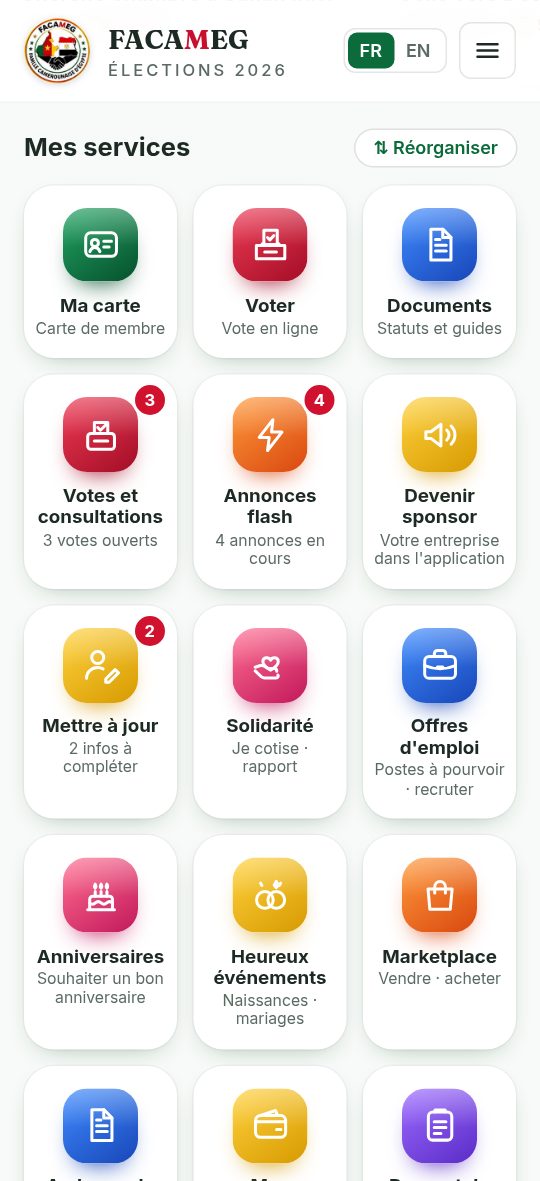
- My space: your personal account (card, payments, notifications, documents, vote, receipt).
- Voters' list: viewing and claims, for members only.
- Run for office: submit your candidacy file.
- Vote: the online ballot on election day, and checking your receipt.
- Help: these guides, online and in PDF, and the frequently asked questions.
2Install the app
The app gives access to the same services, with notifications and a sign-in that lasts.
- Android: go to test-ccn.allcommunity.online/application → “Download the Android app”. Allow the installation if your phone asks. Updates are announced inside the app.
- iPhone: open the website in Safari → Share button → “Add to Home Screen”.
- Without the app, everything also works in the browser.
3Update my details (existing members)
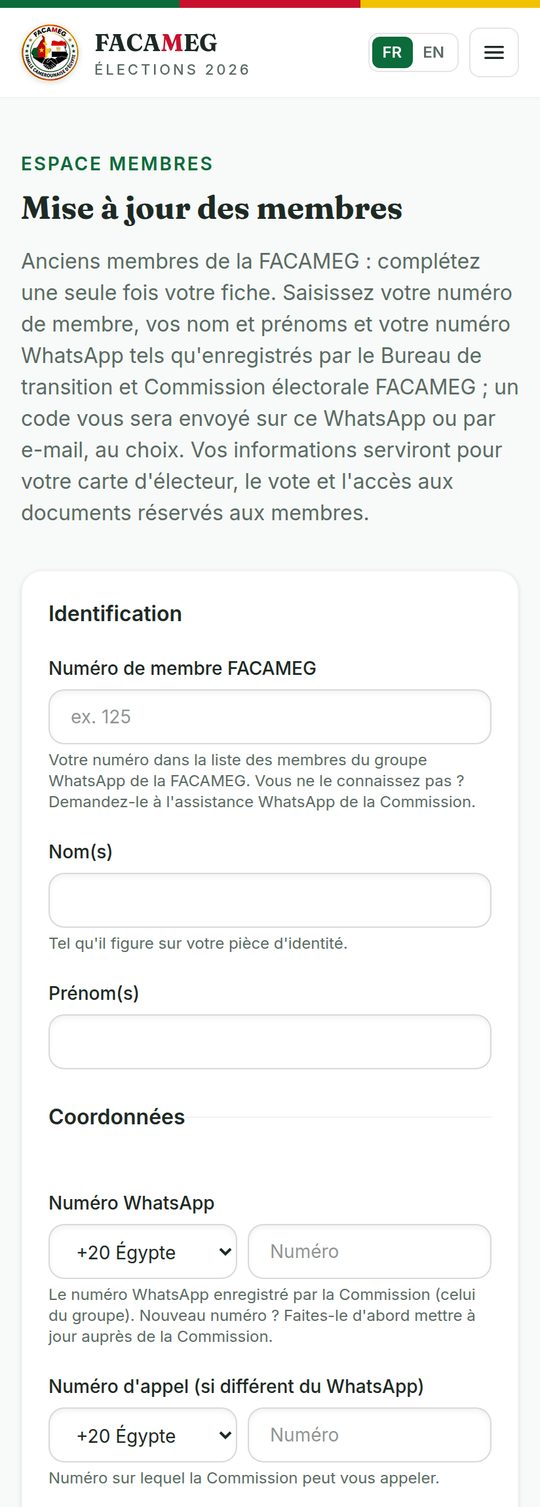
For members already registered with TESTC. It takes about 3 minutes. You do the update only once; after that, you change your details in “My space”.
- 1Open Members area → Update my details.
- 2Enter your member number, your surname, your first names and your WhatsApp number exactly as the Commission recorded them.
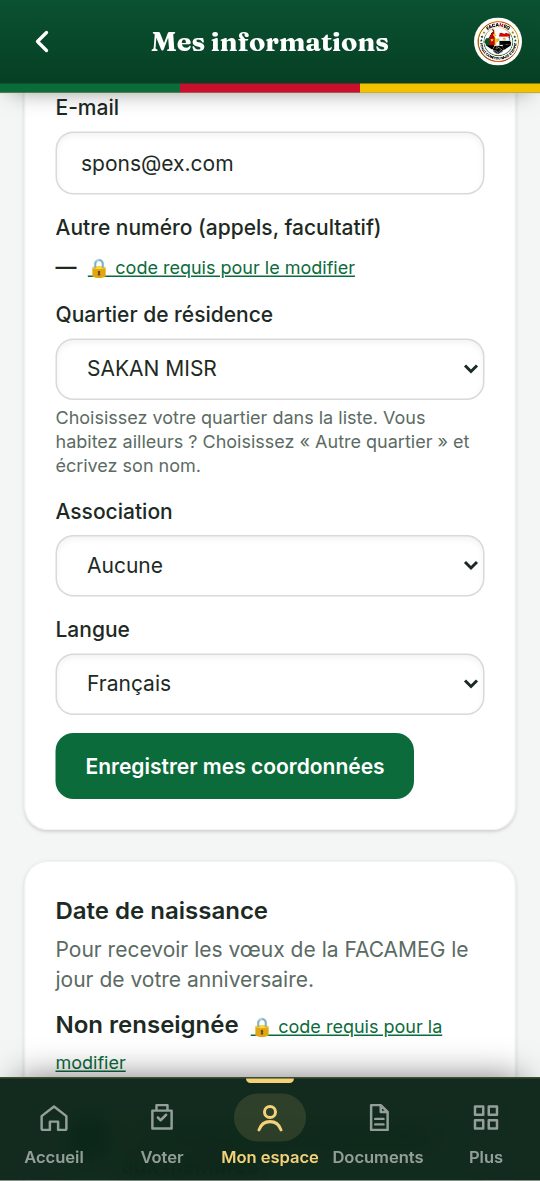
- 3Complete your contact details: e-mail (required), neighbourhood (chosen from the list), date of birth, language for messages, association if any.
- 4Add your head-and-shoulders photo (see below).
- 5Choose to receive the code by WhatsApp or by e-mail, then enter the 6-digit code you receive: your record is saved.
| Field | Good to know |
|---|---|
| Member no. | Required: your number in the member list. You don't know it? Ask at +20 114 684 6864. |
| Surname, first names | As recorded by the Commission (a difference of one or two letters is accepted). |
| The number recorded by the Commission. If it has changed, contact the bureau before the update. | |
| Required: your card, your receipts and your voting code can be sent there. | |
| Photo | Head and shoulders, facing the camera, light background: it appears on your card and on your profile. |
| Neighbourhood | Choose it from the list: FAISAL, SHEIKH ZAYED, MAADI, SAKAN MISR, 6 OCTOBER, ALEXANDRIE, HORAS VALLEY TOWERS, MOHANDESSIN. You live somewhere else? Choose “Other neighbourhood…”, then type its name. |
4The head-and-shoulders photo
The same photo appears on your profile and on your card. The Commission approves it before the card is issued.
| Do | Avoid |
|---|---|
| ✓ Facing the camera, face and shoulders visible | ✗ Sunglasses, cap, filters |
| ✓ Light, plain background | ✗ Group photo, busy background |
| ✓ Good light, sharp and recent photo | ✗ Blurred, dark or old photo |
You can take the photo directly with your phone's camera. The platform crops it to the card format; you can zoom or move it before saving. If it does not meet the rules, you receive a link (valid for 7 days) to upload another one.
5New members: joining
Have you never been registered with TESTC? You pay 250 FCFA in a single payment: 150 FCFA membership fee + the 100 FCFA 2027-2029 card included (resolution R7 submitted to the EGA).
- 1Pay 250 FCFA to a member of the Commission, in cash or by Mobile Money. You are given a single numbered receipt.
- 2The Commission member registers you on the platform with your details and, if possible, your photo.
- 3You receive a confirmation link by WhatsApp or e-mail (valid for 7 days): check your details and confirm.
- 4You are now an active member; your card is already paid for.
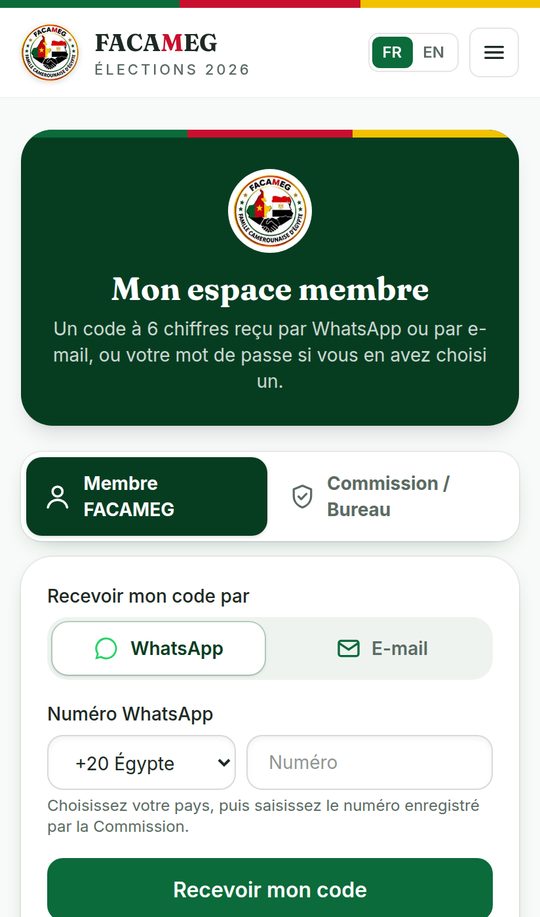
6Sign in to “My space”
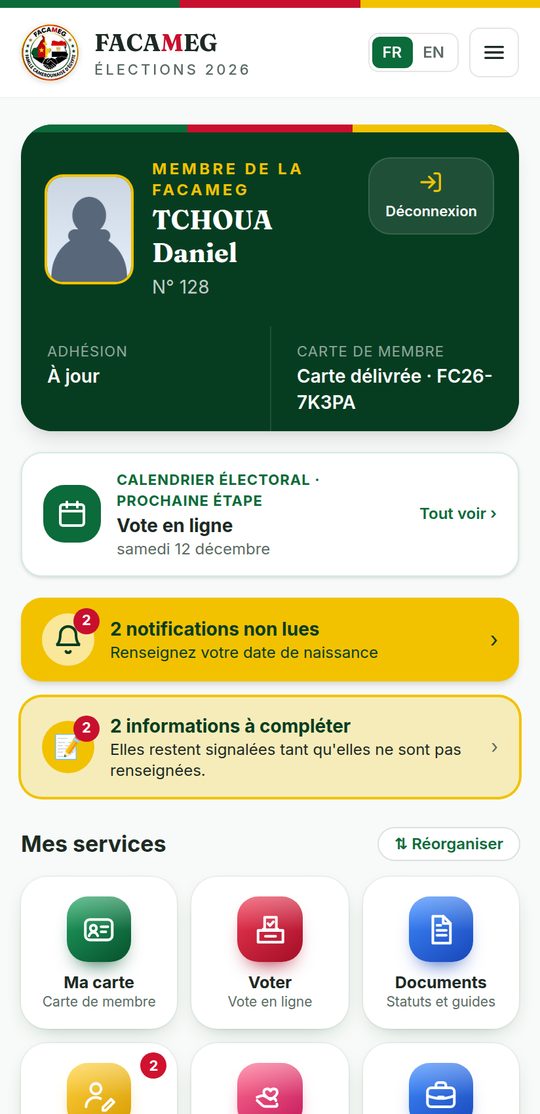
Your personal space brings together your card, your payments and receipts, your notifications, the members' documents, the vote and the receipt check.
- 1Tap My space (bottom bar of the app or the Members area menu).
- 2Choose to receive a code by WhatsApp or by e-mail, then enter the number or address on record.
- 3Enter the 6-digit code. You can also create a password in your space to sign in faster.
7The 2027-2029 membership card
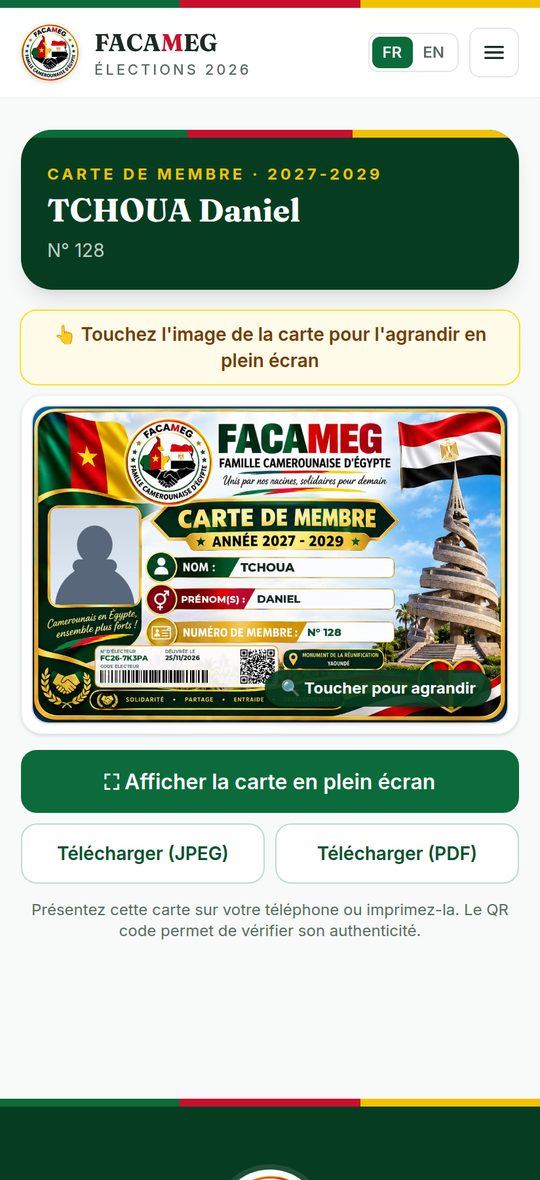
One digital card, with a photo and a QR code that can be checked: it is your voter card in 2026 and your membership card for the whole 2027-2029 term (resolution R6 submitted to the EGA).
- 1Be an active member (update done, or membership confirmed) with a photo approved by the Commission.
- 2Existing member: pay 100 FCFA to a member of the Commission (cash or Mobile Money) and insist on your receipt. New member: nothing to pay, the card is included.
- 3The card is issued: you receive your voter number (FC26-XXXXX) by e-mail.
- 4Show it in My space → My card: full screen, download as an image (JPEG) or as a PDF.
8Flash ads
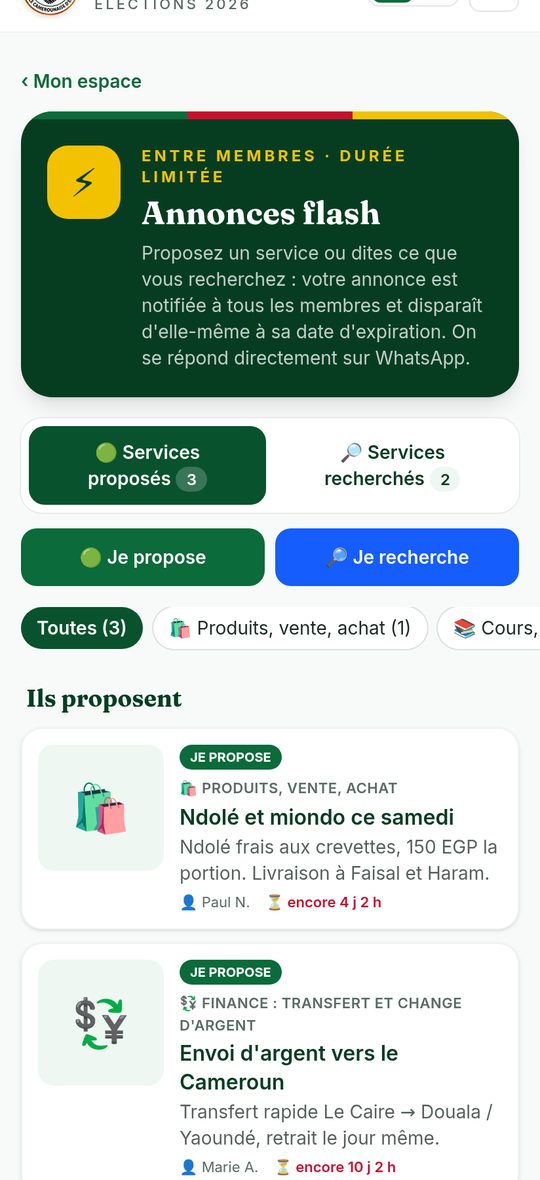
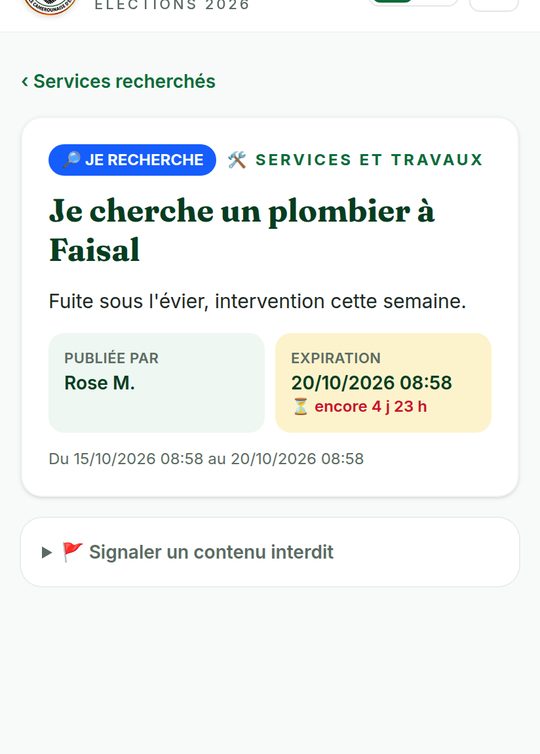
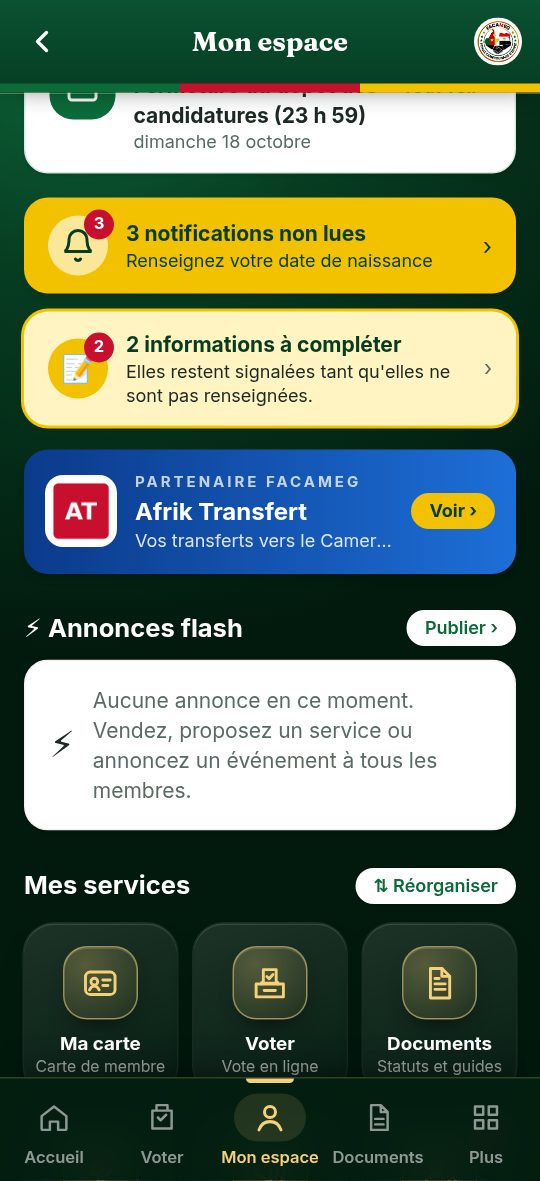
To offer a service or tell all members what you are looking for, without flooding the WhatsApp group. My space → Flash ads.
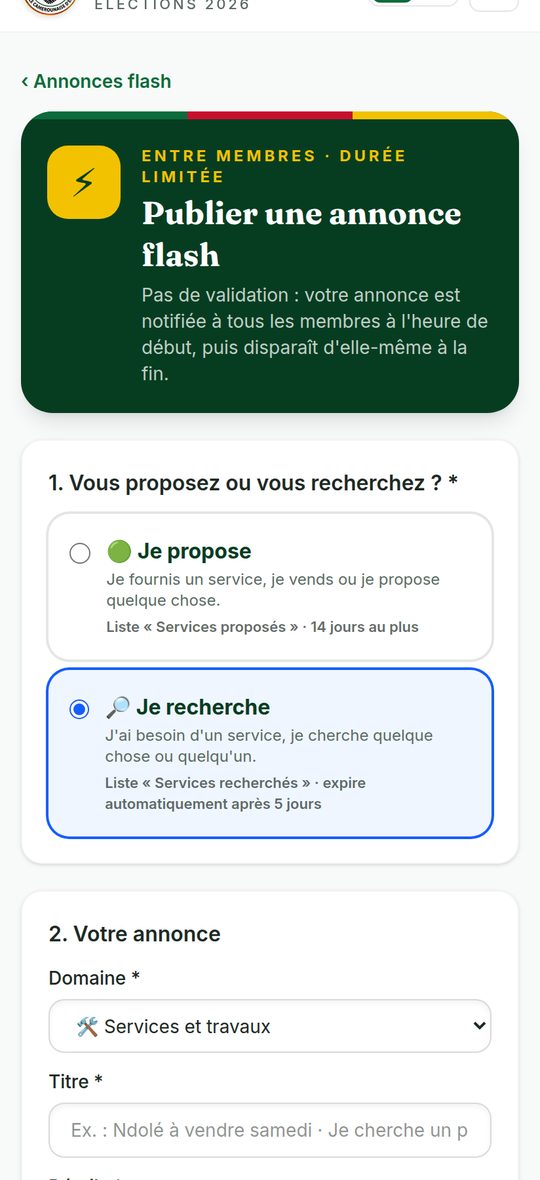
- 1Tap I offer or I'm looking for.
- 2Choose the category: products and sales, services and repairs, lessons, transport and parcels, finance (money transfer and exchange), housing, small jobs, events, lost or found items, mutual help…
- 3Write a clear title and the details (price, place, times), and add one or two photos.
- 4Choose the start time. Check your WhatsApp number, read the charter and publish.
- 5At the start time, all members receive a notification: when they tap it, they land on your ad and can write to you on WhatsApp.
- No approval by the bureau: the ad goes out straight away.
- Two running ads at most per member. You can remove yours at any time.
- When it expires, the ad and its notification disappear for all members.
- Tap a photo to enlarge it: spread two fingers to zoom, swipe to move around.
| 🟢 I offer | 🔎 I'm looking for | |
|---|---|---|
| List | Services offered | Services wanted |
| For | I provide a service, I sell, I offer something | I need a service, I am looking for something or someone |
| Expiry | 14 days at most (14 days by default) | 5 days, automatically |
| After that | Republish the offer if needed | Republish the request if needed |
9Online votes and consultations: take part without travelling
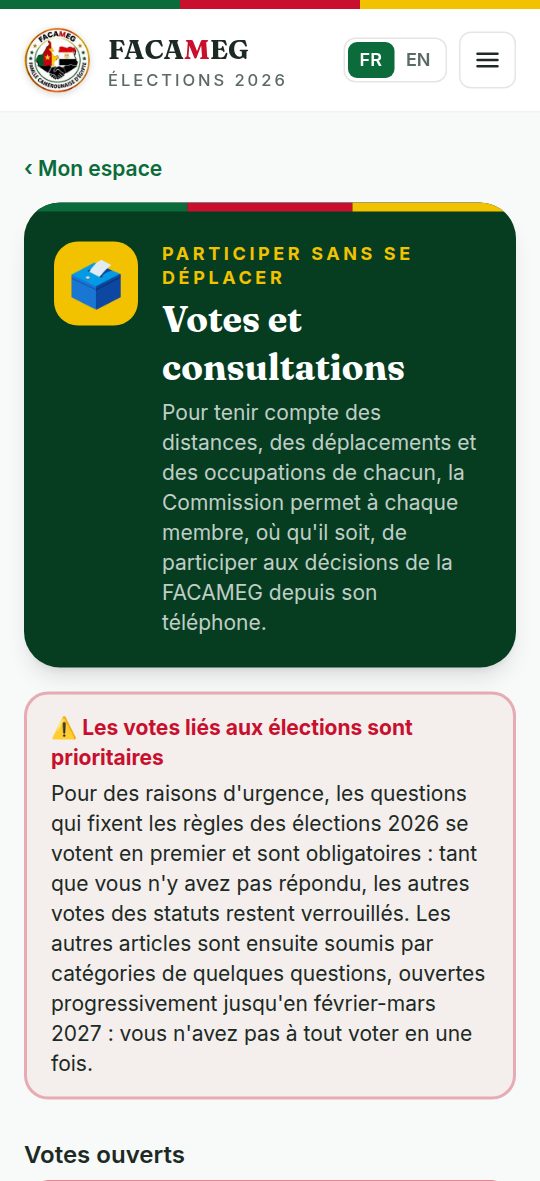
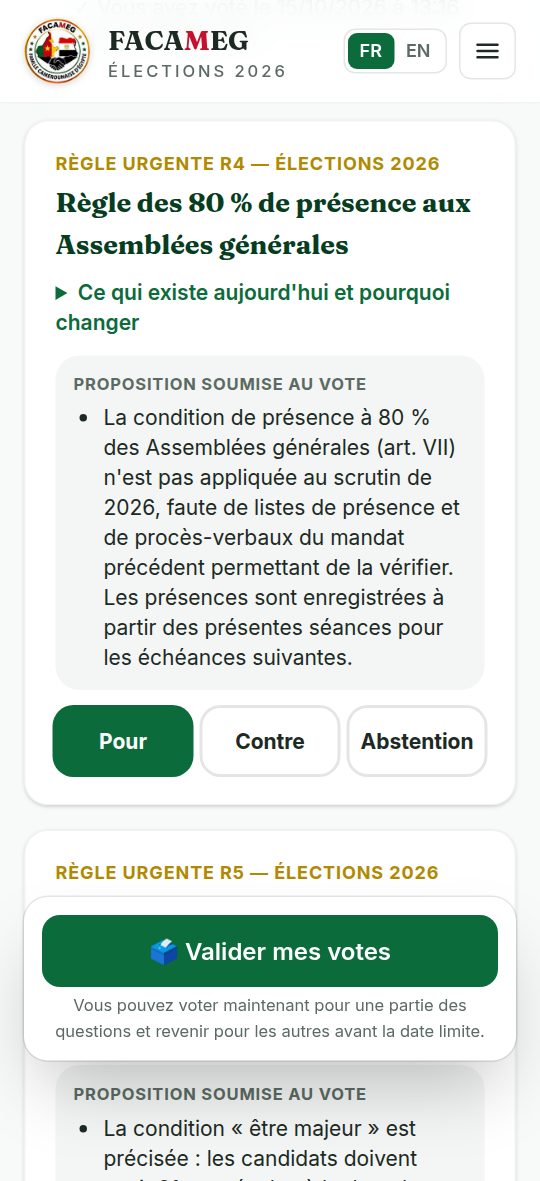
TESTC has members in every district of Douala, in Alexandria and elsewhere. Distances, travel and everyone's busy schedules often make it hard to attend meetings. So that every member, wherever they are, can take part in decisions without travelling, the Commission now offers online votes and consultations: My space → Votes and consultations. These are not online general assemblies: the app makes it easier for everyone to take part in the community's major decisions.
- 1When a vote opens, you receive a notification. Open My space → Votes and consultations: open votes are shown with their deadline and the time left.
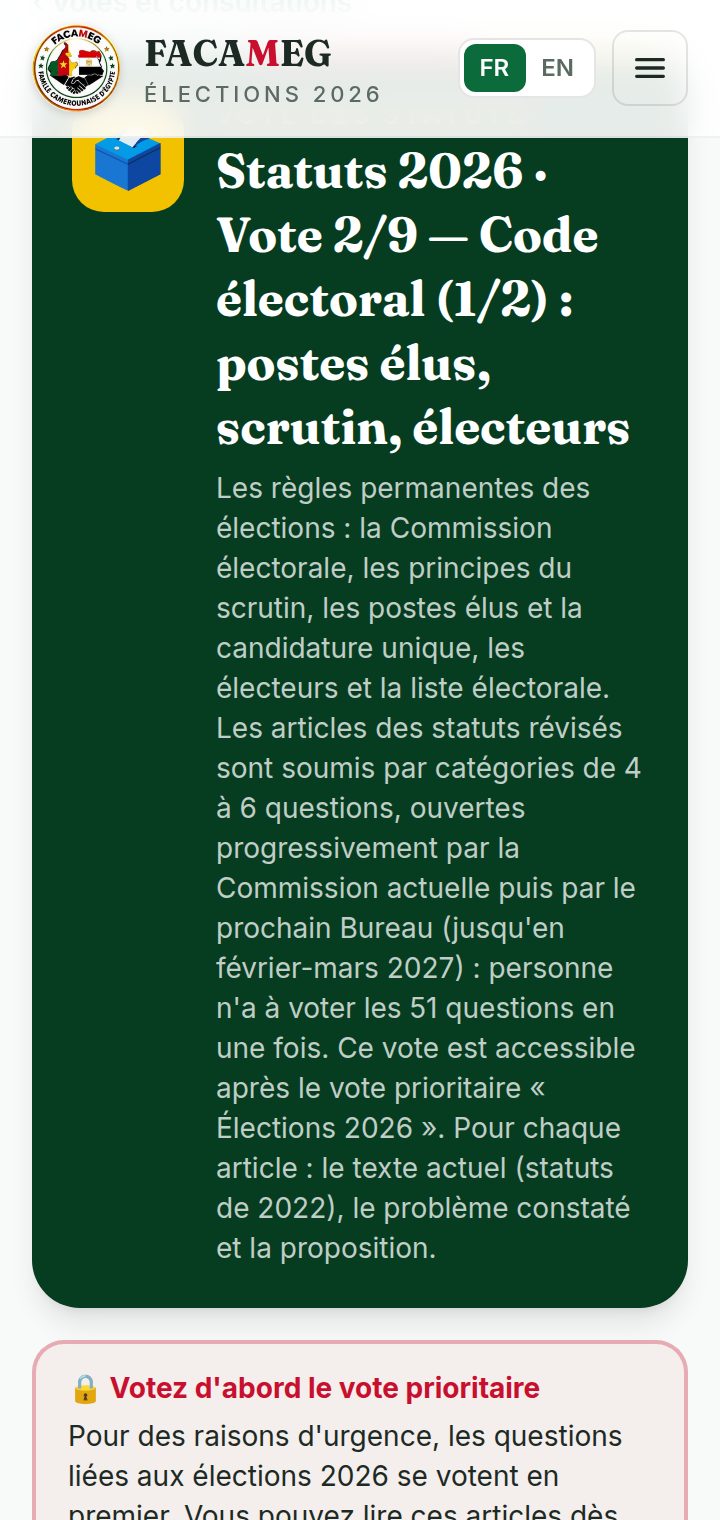
- 2Open the vote (start with the priority vote "Élections 2026"). For a statute article, read the proposal; tap "What exists today and why change it" to see the 2022 text and the reason for the change.
- 3For each question, tap For, Against or Abstention (or the option of your choice for a poll).
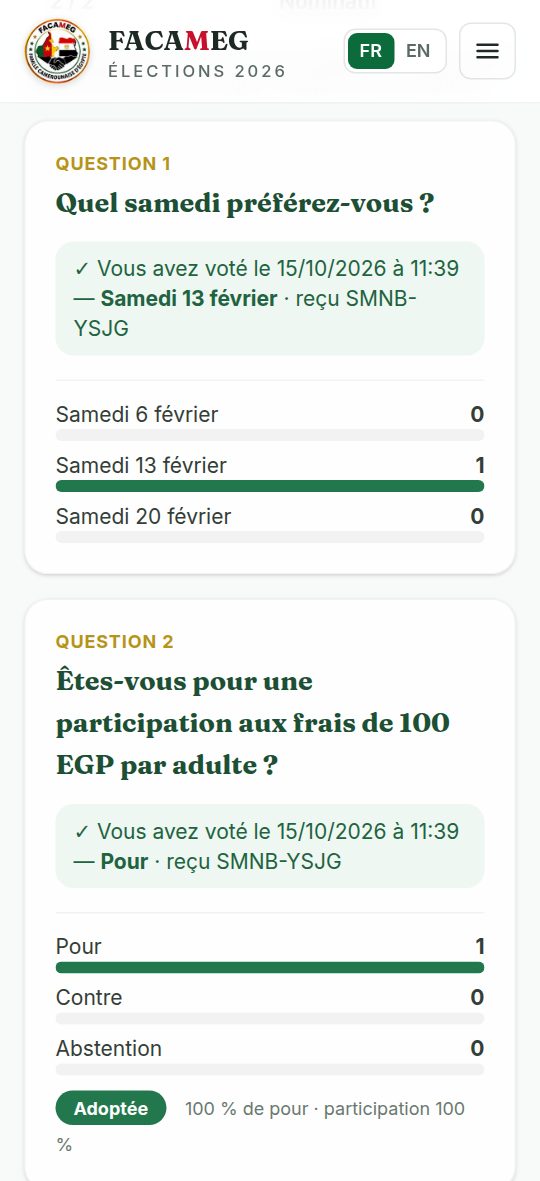
- 4Tap Submit my votes. You can vote on some questions and come back for the others before the deadline.
- 5Each vote is confirmed by a receipt code. After the deadline, the Commission checks and validates the results: you see them on the same page.
- One vote per question per member; it is final.
- Secret ballot (statutes): only your participation is recorded in your name; your choice goes into an anonymous ballot box that nobody can link to you.
- History: the "My participation and the results" section keeps, for each vote, the number of questions voted, the date and the published results.
- All active members can vote, with no payment condition.
- A trial vote is open so you can discover how it works: your answers do not count.
| Vote | Category | Questions |
|---|---|---|
| 1 — priority and mandatory | 2026 elections: urgent rules R1 to R9 and remote participation | 10 |
| 2 | Electoral code (1/2): elected posts, ballot, voters | 5 |
| 3 | Electoral code (2/2): candidacies, disputes, campaign | 6 |
| 4 | Executive Bureau and Committee | 6 |
| 5 | General Assembly and amendment of the statutes | 5 |
| 6 | Members: rights, duties, registration | 5 |
| 7 | Membership, contributions and finances | 4 |
| 8 | Term, handover and final provisions | 5 |
| 9 | Structure, preamble and form of the text | 5 |
10Become a TESTC sponsor
Do you have a business or an activity? Make it known to the whole community in the app. My space → Become a sponsor.
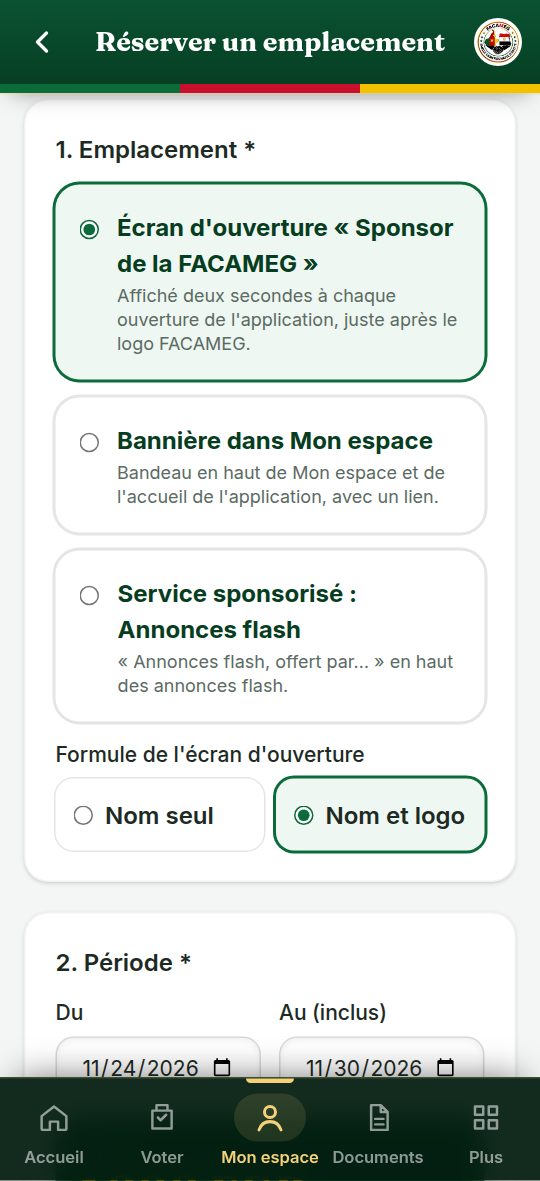
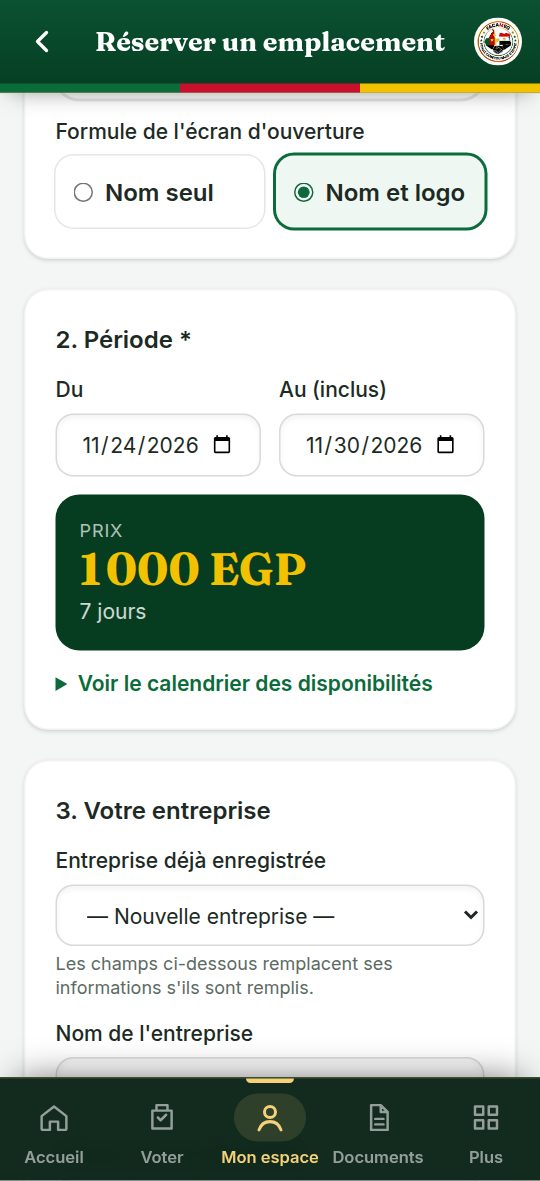
- 1Tap Book a placement and choose the placement (and the package for the opening screen).
- 2Choose a free period: the calendar shows the dates already taken, because there is only one sponsor at a time per placement. The price appears straight away.
- 3Enter your business name, a short sentence, your website or your WhatsApp number, and add your logo (preferably a PNG with a transparent background).
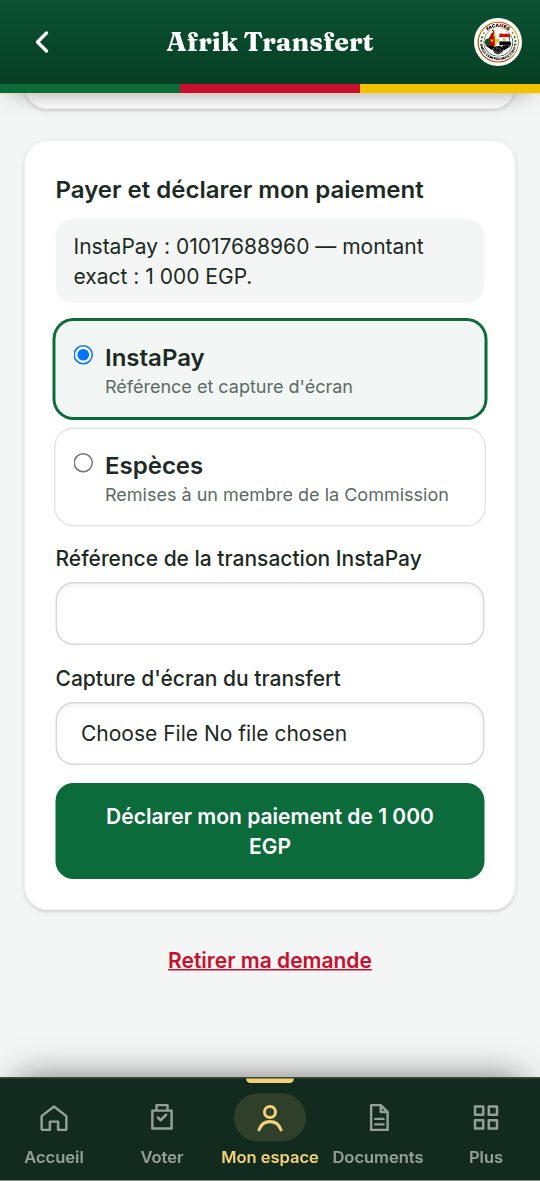
- 4The period is held for 72 hours: pay by Mobile Money (reference and screenshot) or in cash to a member of the Commission, then tap Declare my payment.
- 5The Commission approves the payment and gives you a numbered receipt: your ad appears by itself on the first day and stops after the last day. You can follow the number of views and clicks.
- A period of less than one week counts as one week; for longer periods, you pay by the month and by each week started.
- If no payment is declared within 72 hours, the period is released for another sponsor.
- To change your logo or your texts during the campaign, contact the Commission: the change is immediate.
- Revenue is shared equally: 50% for the TESTC community, 50% for the platform.
| Placement | What members see | Price (FCFA) |
|---|---|---|
| Opening screen — name only | “TESTC sponsor” then your name, for 2 seconds each time the app opens | 500 / week · 1,500 / month · 4,000 / quarter |
| Opening screen — name and logo | Your logo, your name, your sentence; one tap opens your website or your WhatsApp | 1,000 / week · 3,000 / month · 8,000 / quarter |
| Banner in My space | A “TESTC partner” banner at the top of My space and of the home page | 300 / week · 1,000 / month · 2,700 / quarter |
| Sponsored service | “Flash ads, brought to you by…” | 400 / week · 1,500 / month · 4,000 / quarter |

11Check the voter list
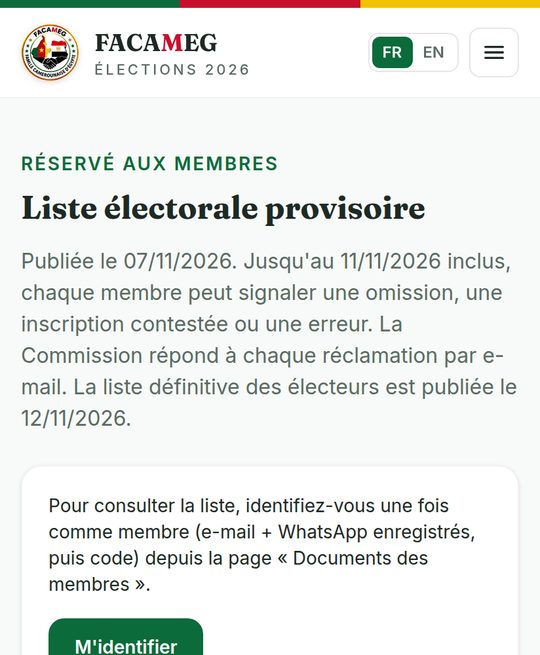
The provisional voter list is published on Monday 16 November. Every member can report a missing name or an error until 20 November; the final list is published and frozen on 21 November.
- 1Open Members area → Provisional electoral list and identify yourself (code by WhatsApp or e-mail).
- 2Look for your name and check your voter number.
- 3An error or a missing name? Make a claim from the page: the Commission replies by e-mail.
12The trial vote (21 November → 2 December)
The Commission opens a trial vote to check that you receive your code and that you know how to vote. It does not count.
- Tap “Test my voting access” on the home page.
- Follow exactly the same steps as on election day.
- A problem? Report it at +20 114 684 6864: it will be fixed before 12 December.
13Vote online on 12 December
From 8 am to 8 pm (Douala time), from your own phone or computer. The ballot is secret.
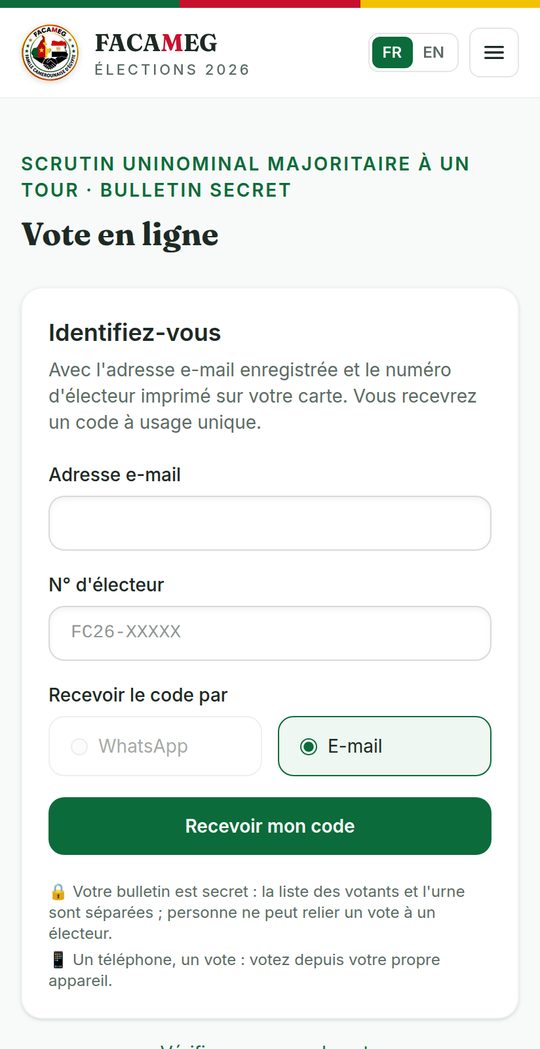
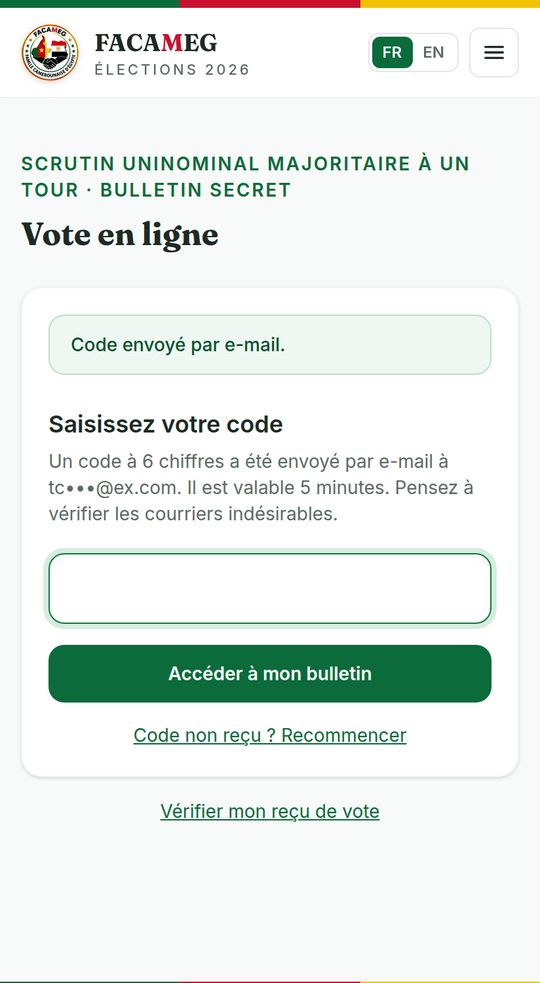
- 1Open Vote. Enter your registered e-mail and your voter number (FC26-…), then choose to receive the code by WhatsApp or by e-mail.
- 2Enter the 6-digit code (valid for 5 minutes, 3 attempts).
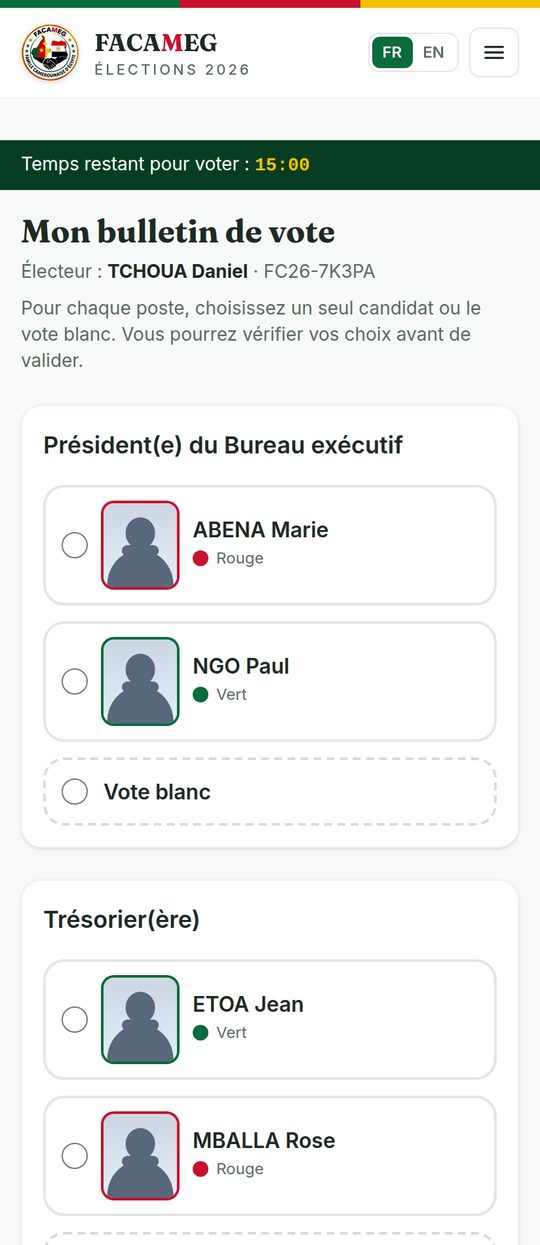
- 3For each of the 4 positions, choose a candidate or a blank vote. If only one candidate stands for a position: “For”, “Against” or blank (R8).
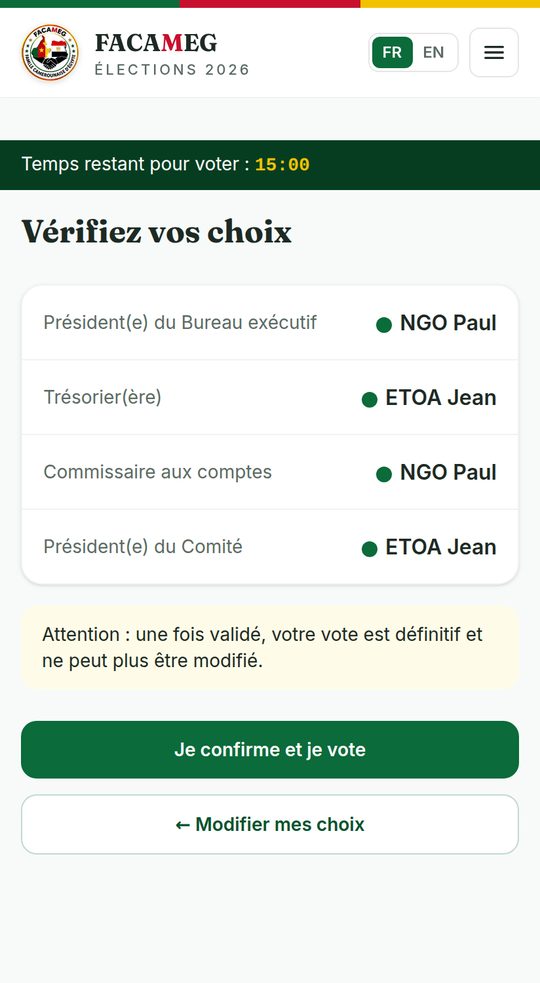
- 4Tap Review my choices, read again, then I confirm and vote. You can still go back before you confirm.
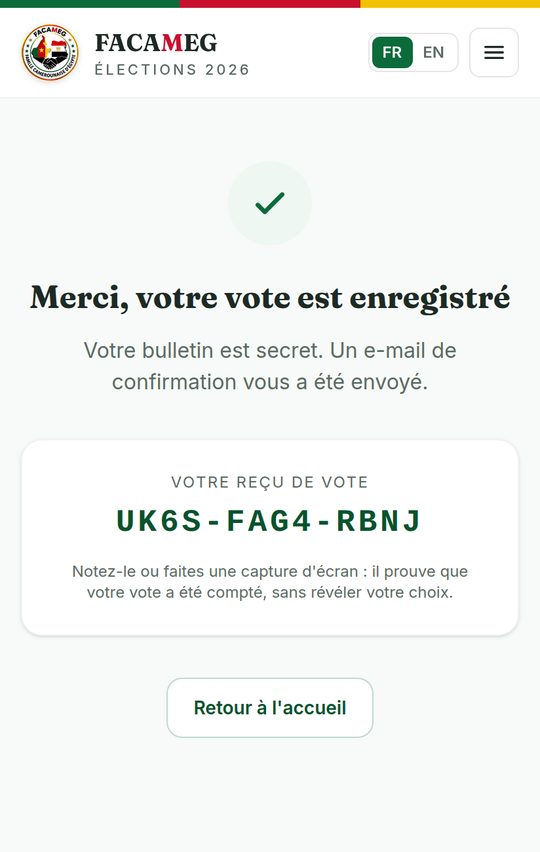
- 5Write down your voting receipt (e.g. LRYL-OWCG-W7EK) or take a screenshot. A confirmation e-mail is sent to you.
14The secret ballot
The list of voters (who voted, at what time) and the ballot box (the ballots) are two separate registers, with no link between them.
- The ballot carries no name, no number and no time; its identifier is chosen at random.
- Your receipt proves that your vote was counted, without revealing your choice.
- Nobody — not the Commission, not the observers — can know who you voted for.
15Check your receipt, results and claims
After voting closes, everyone can check that their vote was counted and see the results.
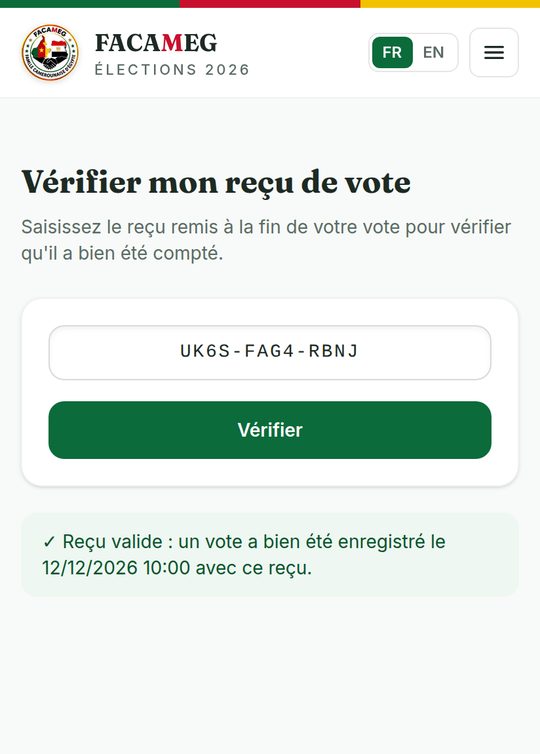
- 1Vote → Check my voting receipt: enter your receipt; the platform confirms that a vote was recorded with this receipt.
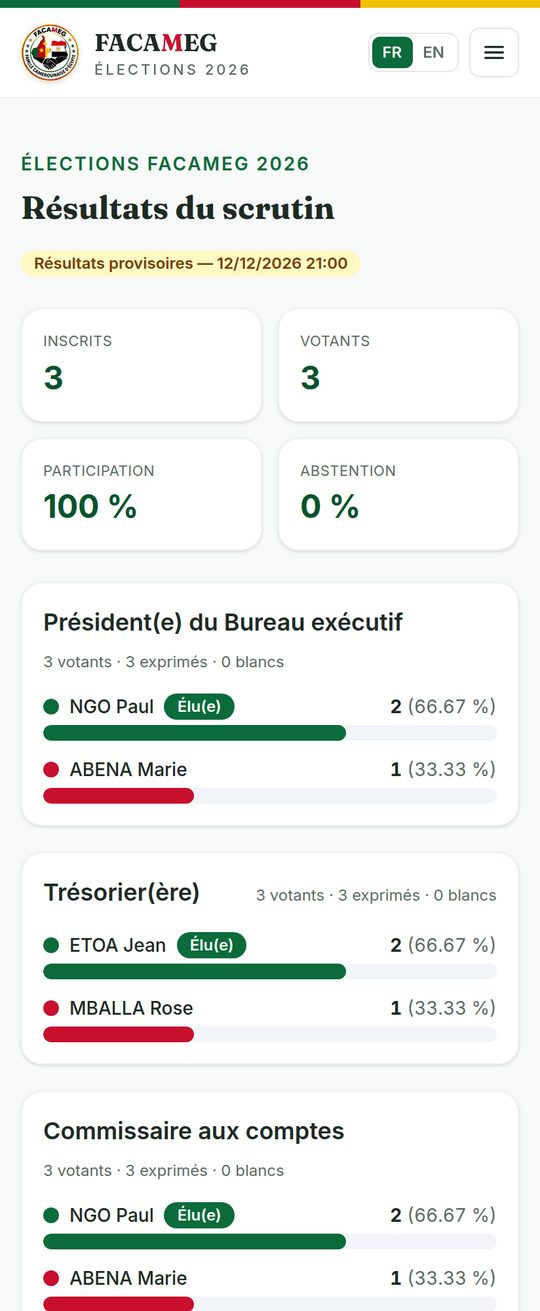
- 2The provisional results are published on 13 December, with the detail for each position.
- 3Claims: in writing and with reasons, to the Commission, within 24 hours after the provisional results are published.
- 4Final results and handover: 15 December.
16The 2026 election calendar
Always up to date in the app, in the “Timeline” menu.
| When | Step |
|---|---|
| 17 Oct. → 13 Nov. | Member update and card purchase (deadline: Friday 13 November, 11:59 pm) |
| 17 → 31 Oct. | Commission tour of the focal points |
| 31 Oct. → 7 Nov. | Submission of candidacies (Saturday 7 November, 11:59 pm) |
| 8 → 10 Nov. | Review of the files by the Commission |
| 11 Nov. | Provisional list of candidates; appeals on 11 and 12 November |
| 13 Nov. | Final list of candidates |
| 14 Nov. → 10 Dec. | Election campaign |
| 16 → 20 Nov. | Provisional voter list and claims |
| 21 Nov. | Final voter list (frozen); trial vote opens |
| 2 Dec. | End of the trial vote |
| 11 Dec. | Election silence |
| Saturday 12 Dec. | Online vote, from 8 am to 8 pm |
| 13 Dec. | Provisional results; 24 hours for claims |
| 15 Dec. | Final results and handover |
17Security: good habits
Your code is the key to your vote.
- ✗ Never share a code received by WhatsApp or e-mail, with anyone.
- ✗ Do not vote from the phone of a candidate or of a go-between.
- ✓ The only official website: test-ccn.allcommunity.online.
- ✓ Pay only to a member of the Commission or to the Mobile Money account it publishes, always against a receipt.
- ✓ Your data is never sold or shared with third parties. No information about your residence status is asked for in order to vote.
18The rules in force
The statutes of 18 December 2022 are in force. The urgent 2026 election rules (R0 to R9: elected positions, candidacy fees and conditions, age, card, single candidacy…) are submitted to the Extraordinary General Assembly, held in four sessions (Maadi, Faisal, Sheikh Zayed, Sakan Misr). This guide presents them as proposed; if one of them is not adopted, the Commission publishes the rule that applies and updates this guide.
19Help and contacts
TESTC Board — WhatsApp and calls: +20 114 684 6864 · E-mail: info@electionfacameg.online · Official website: test-ccn.allcommunity.online. App support: WhatsApp group “TESTC App — Mutual help & Assistance” (“More” tab in the app).
Edition of 15 October 2026 (online votes, neighbourhoods and sponsorship)